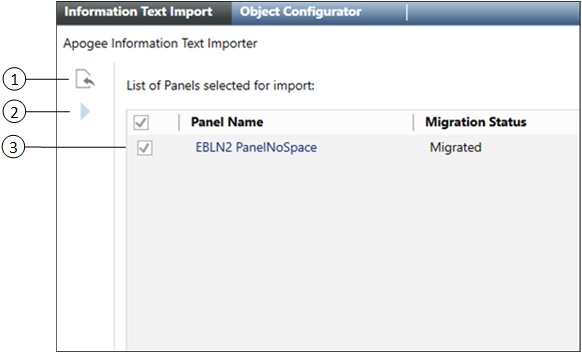
Data Import Displays the Information Text Selector, which allows you to select the APOGEE database folder containing Apogee information text you want to import into the management station.
2
Start Import Starts importing the APOGEE Information Text into the management station.
3
List of Panels selected for import Displays a list of APOGEE panels for import and the migration status of each. Panels can be individually selected, or you can select all of them by checking the box in the column heading.